How to Apply a 1-Bit Bayer Dither Effect to a Photo
Apply true 1-bit Bayer 2x2 or 8x8 photo dithering in your browser, compare pixel crispness at 2x zoom, and export a transparent or framed PNG free.
TL;DR
- One-Bit Screen turns every pixel strictly into one dark ink tone and one light paper tone using ordered Bayer matrices.
- Choose bayer-8 for smoother architectural skies and gradients, or bayer-2 for bold four-step vintage workstation graphics.
- Open the 1-bit dither recipe in your browser, test Pattern and Softness at 2x zoom, and export a PNG free.

To make a true 1-bit dithered image, threshold every pixel strictly against two colors—one dark ink and one light paper tone—using a structured ordered Bayer grid. In Artfkt, One-Bit Screen from the Classic Desktop collection gives you bayer-2, bayer-4, and bayer-8 pattern matrices with direct mark size, edge softness, and ink/paper pickers. Open the worked 1-bit dither recipe to load your own photo and export a crisp PNG free.


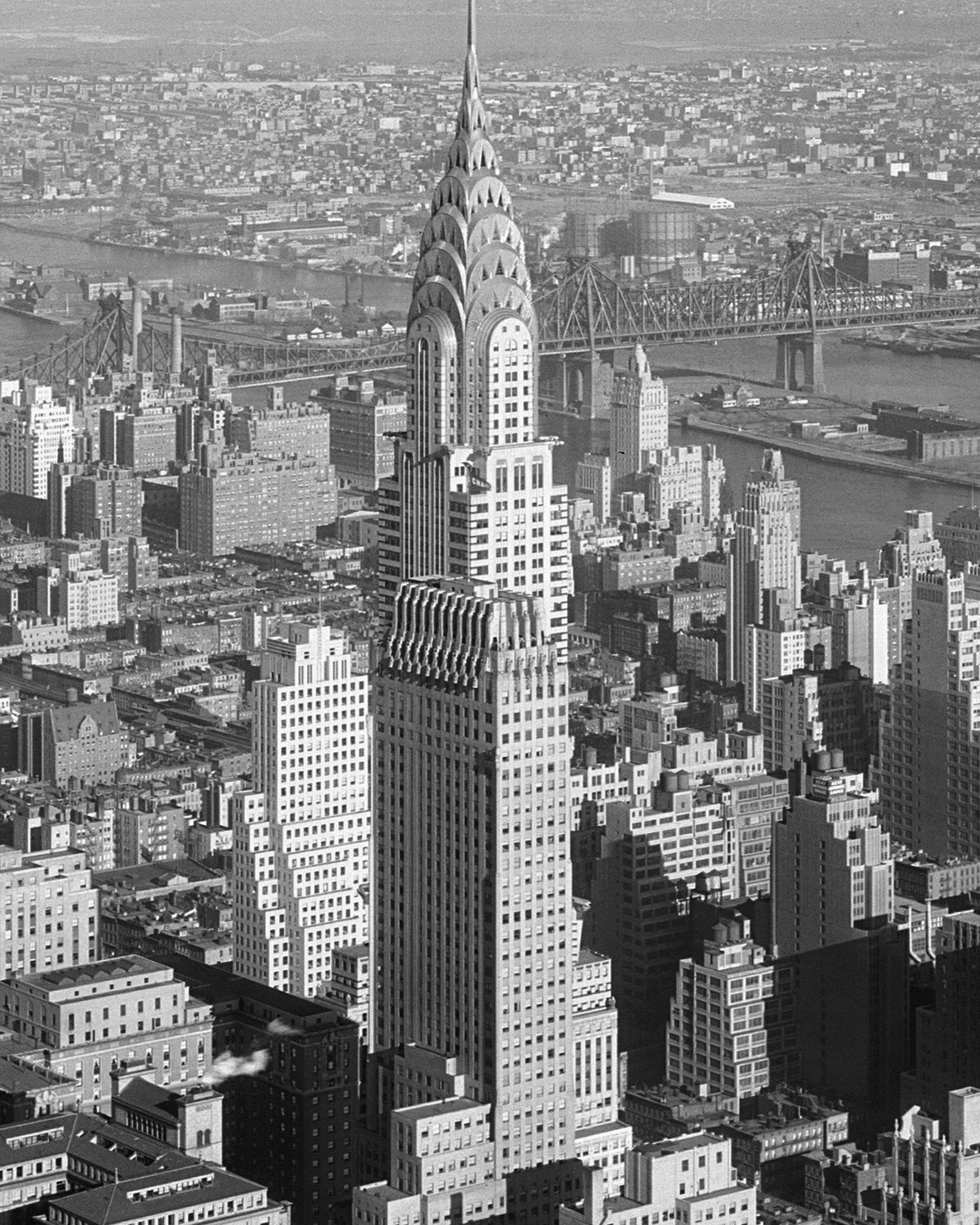
Try 1-bit Bayer dithering on your photo. Choose Open photo to keep the Bayer settings on any image, or download the practice PNG (1080 × 1350) to match every comparison below. Source photograph by Samuel H. Gottscho, Library of Congress (public domain).
Bayer 2×2 vs 8×8 and crisp thresholds vs soft edges
Not all ordered dither looks alike. A bayer-2 matrix holds only 4 threshold steps per tile, locking midtones into blocky crosshatches; bayer-8 spreads thresholds across an 8×8 tile (64 steps) so skies, stone cornices, and haze retain shape without adding gray levels. Meanwhile, raising Softness slightly anti-aliases cell transitions when downscaling for web cards.


If you are weighing ordered Bayer matrices against round printed screens or retro television scans, read Dithering vs Halftone and our CRT filter guide.
Pairing 1-bit dithering with Classic Desktop frames
Comparing full-frame bayer-2, softened bayer-8, and framing the result inside Window Frame (style: "one-bit") shows why early desktop software paired ordered dithering with striped window chrome:


Note an important detail if you stack Window Frame from Classic Desktop: its editable Window title uses a fixed uppercase 5×7 ASCII bitmap font up to 16 characters, while the corner close box, resize bars, and scrollbars are decorative border styling rather than interactive app controls.
Dither your own image in four steps
- Open the 1-bit dither recipe and click Open photo. Your image stays local on your device; see
/privacy/for site telemetry info. - In Active FX → One-Bit Screen, choose Pattern: start on
bayer-8for natural tones, switch tobayer-4for crisper print texture, or pickbayer-2for unmistakable retro pattern tiles. - Adjust Mark size (
0.0042on 1080px photos) and Threshold (-0.05to+0.08) to balance open sky against shadow detail. Flip Invert to turn darks into highlights for dark backgrounds. - Keep Softness near
0.02–0.05for crisp pixel art, or nudge up to0.30–0.48if your output will shrink into thumbnails; then choose Export → PNG (a small Artfkt watermark can be toggled off free in Settings → Export Settings).
| Effect | Parameter | Value |
|---|---|---|
| One-Bit Screen | Pattern | bayer-8 |
| One-Bit Screen | Mark size | 0.0042 |
| One-Bit Screen | Softness | 0.03 |
| One-Bit Screen | Threshold | 0.02 |
| One-Bit Screen | Invert | false |
| One-Bit Screen | Dark ink | #121318 |
| One-Bit Screen | Light paper | #f3efe4 |
What do desktop saves and full Classic Desktop add?
In the free browser demo, One-Bit Screen and Window Frame both run cleanly with free PNG export. Artfkt desktop adds saved editable project bundles, reusable Looks, animated threshold/dither motion, layer masks to apply 1-bit screening selectively behind smooth subjects, and full export presets across all 392 effects.
Does Bayer dithering work on color logos or portraits?
Yes—while One-Bit Screen always outputs two colors (Dark and Light), those two colors do not have to be black and white. Try deep indigo (#11224d) with warm cream (#f6efd8), or forest green on paper stock, and slide Threshold until key facial features read cleanly.
Start with your own photo
Dither your photo to crisp two-tone pixels.
Compare Bayer 2x2 and 8x8 matrices in One-Bit Screen and export a PNG free. Desktop adds saved projects, masks and full animation controls.